
Go online when you're ready to receive nearby ride requests and return offline when you're not.
For drivers
Drive withcontrol.
SwiftRide keeps availability, location awareness, nearby ride requests and trip progress connected so drivers can focus on the road and the work in front of them.
Before a request
Go online when you're ready.
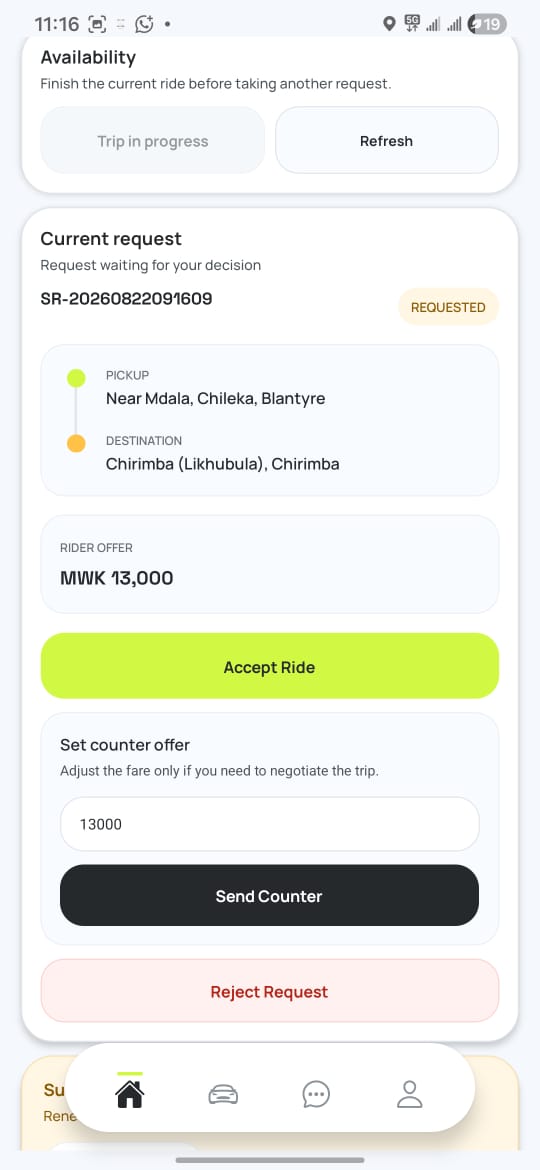
Drivers control when they are available. Once online, SwiftRide keeps the information needed for nearby requests inside the same workflow.
Current area and GPS status remain part of the Driver dashboard while you're online.
New trip requests arrive inside the Driver experience instead of sending you elsewhere.
Once accepted, the ride moves into the active Driver workflow with its context preserved.
Live driver workspace
Stay visible.Stay in control.
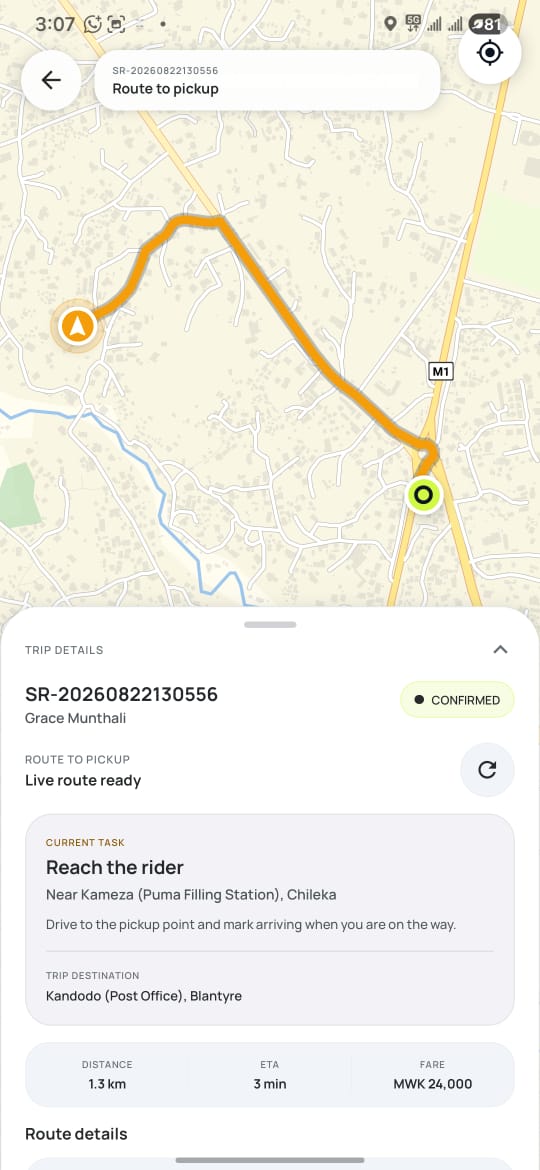
Once a request is confirmed, the pickup route, rider location and current task stay together so the driver knows what needs to happen next.
Route to pickupNavigation stays focused on reaching the rider.
Current taskThe driver can see exactly what the trip requires next.
Trip detailsPickup, destination, distance and fare remain close to the live workflow.
Driver operations
The important controls stay close.
SwiftRide is designed so the driver's working state does not disappear between screens while handling requests and active trips.
Request awareness
Incoming ride information stays connected to the driver's current availability.
Active trip context
Once a ride begins, the Driver experience keeps the trip state and journey context visible.
Operational history
Completed trips remain part of a clearer record for both drivers and SwiftRide operations.
SwiftRide Driver